Tools & Resources
The Digital Toolbox: Essential Tools and Resources for Modern Efficiency
A great resource should do three things. First, it should simplify a complex task. Second, it should bridge the gap between team members. Third, it should provide clear data for better decision-making.

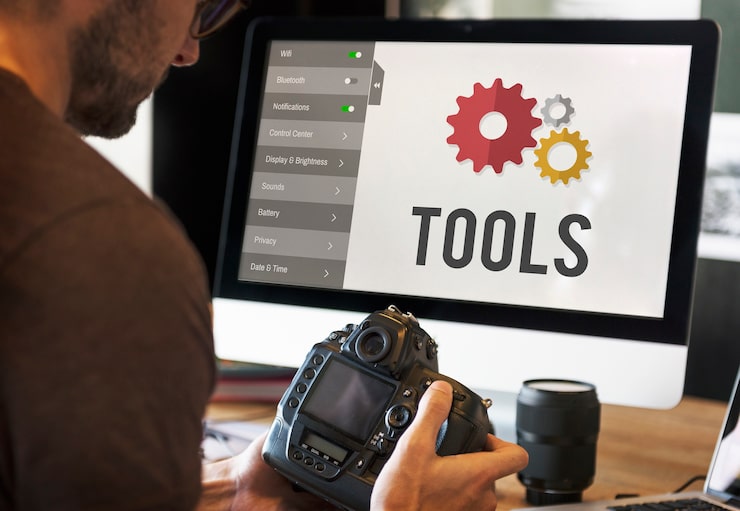
In today’s fast-paced, globalized work environment, the quality of your output is often tied to the quality of your tools. It is also tied to the resources you utilize. However, having “more” tools is rarely the solution. The most successful professionals and teams focus on building a lean, integrated “tech stack.” This stack reduces friction. It promotes inclusivity. It scales with their growth.
A great resource should do three things. First, it should simplify a complex task. Second, it should bridge the gap between team members. Third, it should provide clear data for better decision-making. This guide breaks down the cornerstone resources every modern workspace needs to thrive.
The Shift Toward “Interoperable” Resources
The era of isolated software is over. Modern resources are now designed to be interoperable—meaning they “talk” to one another. When your time-tracker, project management board, and communication hub are synced, you eliminate the “manual data entry.” This manual task drains human creativity.
The most effective digital resource strategy for teams is the “Centralized Knowledge Base.”
By utilizing tools like Notion, Trello, or specialized Wikis, organizations create a “Single Source of Truth.”
This ensures that every team member has equal access to the information they need to succeed. This is true regardless of their time zone or physical location.
1. Project Management and Collaborative Hubs
The foundation of any team is its project management resource. These tools allow everyone to see the big picture while focusing on individual tasks.
- Visual Workflows: Resources like Trello or Asana use visual boards to represent progress. This is beneficial for neurodivergent team members. They gain from seeing tasks move through “To Do,” “Doing,” and “Done” phases.
- Knowledge Management: Notion and Confluence act as the “company brain,” storing everything from brand guidelines to standard operating procedures (SOPs).
- Real-Time Collaboration: Miro and FigJam provide digital whiteboards. Teams can brainstorm visually on these platforms. This setup recreates the collaborative energy of an in-person workshop.
2. Inclusive Communication Resources
Effective communication is the heartbeat of a healthy team. To be truly inclusive, resources must cater to different communication styles—both synchronous (real-time) and asynchronous (delayed).
Communication Resource Comparison
| Resource Type | Best For | Primary Benefit |
| Instant Messaging | Quick updates (Slack/Teams) | Reduces internal email clutter |
| Async Video | Deep explanations (Loom) | Respects different time zones |
| Document Comments | Contextual feedback (Google Docs) | Keeps discussions tied to the work |
| Video Conferencing | Complex discussions (Zoom/Meet) | Builds social rapport and trust |
3. Time Intelligence and Resource Allocation
Time is the most valuable resource you possess. Tracking it isn’t about surveillance; it’s about gaining the data needed to protect your team from burnout.
- Operational Clarity: Using a tool like Tracking Times allows leaders to see where the “resource leak” is happening. Are teams spending 40% of their week in meetings? If so, the meeting culture is the problem, not the individuals.
- Capacity Planning: High-quality resources help you predict the future. By looking at historical data, you can determine if you have the “capacity” to take on a new client. This assessment helps to ensure that your current staff is not overworked.
4. Accessibility and Inclusive Design Tools
A workspace is only truly productive if it is accessible to everyone. Inclusive tools ensure that people with different abilities can contribute at their highest level.
- Screen Readers & Captions: Resources that offer automated captioning (like Otter.ai or built-in Zoom captions) are essential for team members who are d/Deaf or hard of hearing.
- Color Contrast Checkers: For design and documentation, it is important to use resources like Adobe Color. This ensures that visuals are readable for those with color blindness.
- Readability Enhancers: Tools like Hemingway Editor or Grammarly help simplify complex language. They make your resources more accessible to non-native speakers and ensure clarity for all.
5. Automation: The “Force Multiplier” Resource
Automation is the ultimate resource for reclaiming time. By automating the “boring stuff,” you allow humans to do what they do best: solve problems and build relationships.
- Zapier & Make: These act as the “glue” between your tools. For example, when a client signs a contract in DocuSign, Zapier can automatically create a folder in Google Drive. It also creates a project in Tracking Times.
6. Financial and Administrative Resources
Managing the “back office” shouldn’t take up 50% of your week. Modern administrative resources automate the “paperwork” of business.
- Invoicing & Payments: Tools like Stripe or PayPal simplify global transactions, ensuring you get paid faster.
- Compliance & HR: Resources like Deel or Rippling manage the complex legalities of hiring international talent. They ensure that everyone receives their benefits. These resources also keep everyone compliant with local laws.
ALSO READ:
7. Professional Development and Learning
The best resource you can invest in is your own mind. Cornerstone learning platforms provide the “fuel” for personal growth.
- Coursera & LinkedIn Learning: Provide structured paths to master new skills.
- Industry Newsletters: Curated resources that help you stay ahead of trends without having to spend hours searching for information.
8. How to Choose Your Next Resource
Before adding a new tool to your digital toolbox, run it through this “Readability and Utility” filter:
- Does it integrate? If it creates a “data silo,” it might not be worth the cost.
- Is it inclusive? Can everyone on the team use it regardless of their physical or cognitive needs?
- Is the ROI clear? Does it save more time or money than it costs to maintain?
Conclusion: Tools in the Service of People
Resources are meant to be the servants of people, not their masters. The goal of building a robust digital toolbox is to create a workspace that is more human, not less. When you choose tools that prioritize integration, accessibility, and clarity, you set up an environment for success. Everyone then has the resources they need to do their best work. Remember, the best tool in the world is useless if it isn’t used with intention and purpose.
Intellectual Property & Content Protection Notice
© 2026 TrackingTimes.co All rights reserved.
This publication, including its text, structure, analysis, headlines, and original reporting, is protected under applicable international copyright laws.
No portion of this article may be copied, reproduced, modified, republished, distributed, scraped, translated, or stored in any retrieval system without the express written consent of TrackingTimes.co.
Content scraping, AI training usage, unauthorized reposting, or monetized reproduction is strictly prohibited and may attract civil and criminal penalties.
For syndication or licensing requests, contact: trackingtimes@gmail.com